How to Build a Survey Experiment
Randomly assign respondents to treatment arms before asking outcomes.
The Short Version
Randomly assign respondents to treatment arms before asking outcomes. A practical way to begin is to start a new survey from the consent and questions screen, then edit the default informed-consent block. Finish by making sure you use Results to compare each treatment arm to the first condition. The full walkthrough below explains each part in order.
Is This Guide for You?
Researchers testing messages, vignettes, videos, images, or policy descriptions.
Follow These Steps
Work through these 8 steps at your own pace. The wording is intentionally practical, and you can return to the checklist at the end when you are ready to review your work.
- Start a new survey from the consent and questions screen.
- Edit the default informed-consent block.
- Add a display or outcome question for the stimulus.
- Click Experiment.
- Set the number of conditions.
- Write or paste each treatment condition.
- Add outcome questions after the treatment.
- Use Results to compare each treatment arm to the first condition.
What This Helps You Accomplish
Survey experiments are easiest to defend when treatment assignment, outcomes, and exclusions are recorded in one place.
What a Good Result Looks Like
A good survey experiment randomly assigns a clearly defined treatment, measures a prespecified outcome afterward, and changes as little else as possible between conditions. The design should make the causal comparison obvious to someone who did not build it.
Example: compare two public-service messages
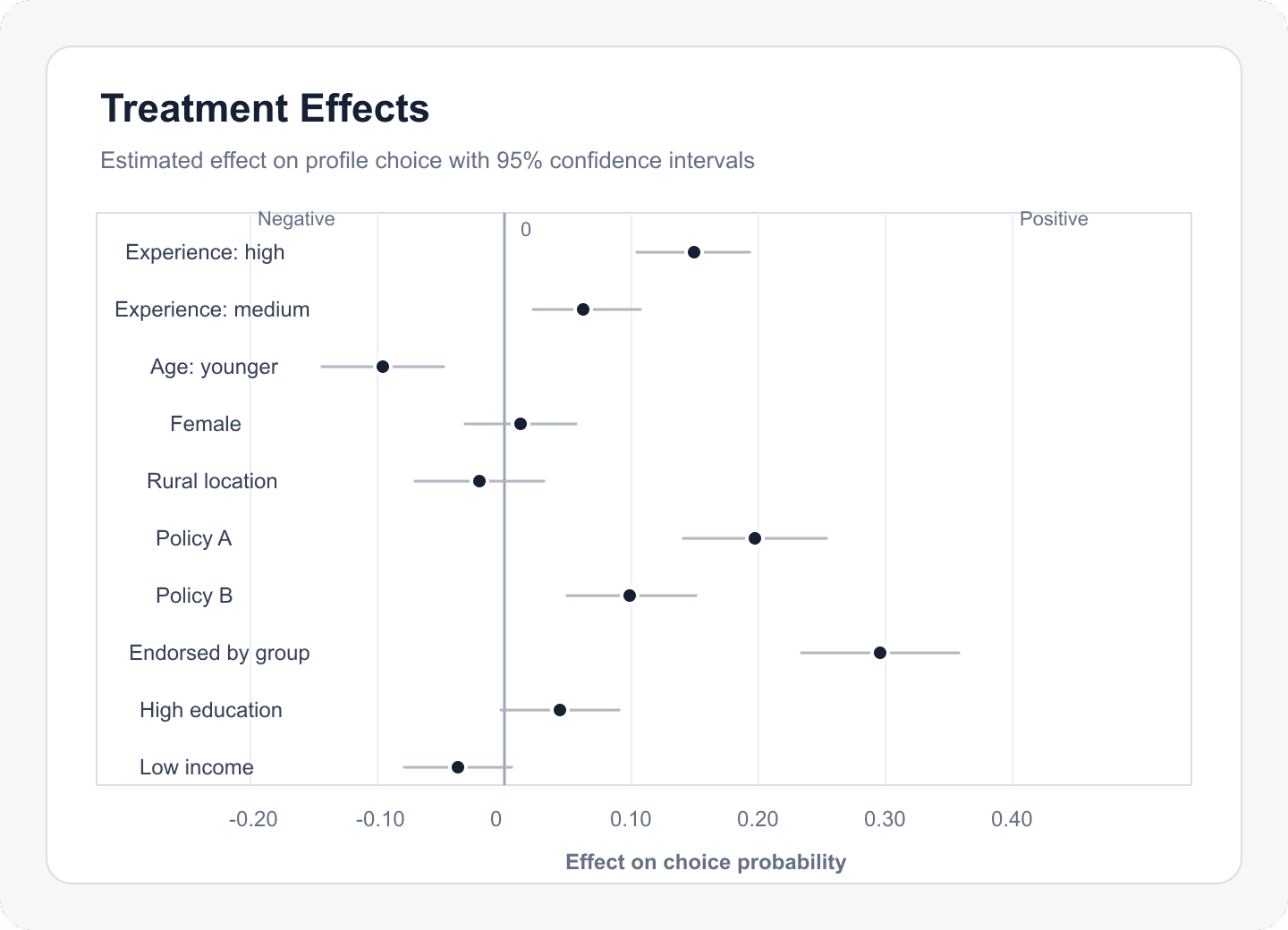
Create a control condition with a text message and a treatment condition with an alternative message of similar length. Randomly show one condition to each respondent, then ask the same clarity and support questions. The treatment effect is the average outcome difference between assigned groups, not the difference between people who liked each message.
Decisions to Make Before You Begin
- Define the randomized unit and treatment arms.
- Choose one primary outcome and its timing.
- Keep non-treatment wording and layout consistent.
- Decide whether manipulation checks are descriptive, exclusionary, or both.
Common Mistakes to Avoid
- Changing several features at once and attributing the result to one of them.
- Asking the primary outcome before treatment exposure.
- Excluding respondents based on a post-treatment variable without explaining the estimand change.
Your Practical Next Step
Write the control, treatment, and primary outcome on one page. If the intended comparison is not immediately clear, simplify before entering the builder.
A Quick Confidence Check
- Make the first condition the control or reference arm.
- Keep arms similar except for the intended treatment difference.
- Mark a primary outcome before fielding.
- Add a manipulation or recall check.
Common Questions
Can I use this guide if I am new to this?
Yes. Researchers testing messages, vignettes, videos, images, or policy descriptions. Follow the steps in order, start with a small test, and use the final checklist before you field or report anything important.
What is the simplest way to get started?
Begin by start a new survey from the consent and questions screen. Next, edit the default informed-consent block. You do not need to perfect every setting before running a small preview or pilot.
How do I know when I am ready?
Use the confidence check above. In particular: Make the first condition the control or reference arm. Keep arms similar except for the intended treatment difference. Mark a primary outcome before fielding. Add a manipulation or recall check. When the decision is consequential, keep your study documentation and ask a qualified colleague or methods reviewer to examine the design as well.
Related Guides
Research artifact: sample data, codebook, and scriptsResearch Pathways
Product names and fielding platforms mentioned in this guide belong to their respective owners. Conjoint Survey is an independent academic research tool and is not affiliated with, sponsored by, or endorsed by those services.