How to Export AMCE Data
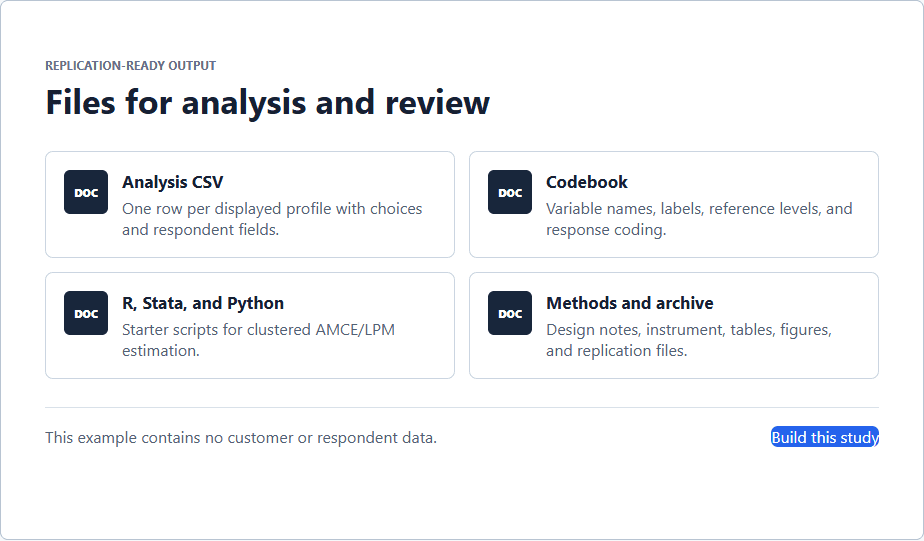
Export conjoint responses in the long format needed for AMCE/ATE estimation and replication.
The Short Version
Export conjoint responses in the long format needed for AMCE/ATE estimation and replication. A practical way to begin is to open Results after collecting responses, then use Analysis CSV for the main profile-level long data export. Finish by making sure you archive the design summary and codebook with the data. The full walkthrough below explains each part in order.
Is This Guide for You?
Researchers who need to analyze conjoint results in R, Stata, or another statistical workflow.
Follow These Steps
Work through these 6 steps at your own pace. The wording is intentionally practical, and you can return to the checklist at the end when you are ready to review your work.
- Open Results after collecting responses.
- Use Analysis CSV for the main profile-level long data export.
- Keep respondent-level fields repeated across profile rows for moderators and clustering.
- Use Estimate CSV for a quick table of in-app ATE/AMCE-style results.
- Export R or Stata replication scripts when needed.
- Archive the design summary and codebook with the data.
What This Helps You Accomplish
Conjoint analysis is usually not one row per respondent. The analysis file needs one row per shown profile, with choice indicators, task numbers, profile numbers, attribute levels, and respondent identifiers for clustered standard errors.
What a Good Result Looks Like
A defensible export preserves one row for every displayed profile, including profiles that were not selected, and retains respondent and task identifiers so repeated observations can be clustered correctly. The codebook should explain references, coding, and exclusions.
Example: recognize the long-format structure
If 300 respondents each complete eight tasks with two profiles, the analysis file should contain about 4,800 profile rows before exclusions. Each task contributes one selected profile and one non-selected profile. A respondent-level file with only 300 rows cannot by itself represent every randomized profile exposure needed for standard conjoint estimation.
Decisions to Make Before You Begin
- Choose the raw, respondent-level, or profile-level export for the analysis task.
- Retain respondent IDs for clustered standard errors.
- Document how neither choices and incomplete responses are coded.
- Match the selected R, Stata, or Python starter script to the exported package.
Common Mistakes to Avoid
- Keeping only winning profiles.
- Dropping reference levels from the codebook.
- Opening CSV files in software that silently changes IDs, dates, or character encoding.
Your Practical Next Step
Download the codebook with the data, count respondents, tasks, and profile rows, and reproduce one displayed estimate before beginning custom models.
A Quick Confidence Check
- Do not analyze only the selected profile without the unselected comparison profiles.
- Cluster standard errors by respondent in publication analysis.
- Retain the randomization metadata and design file.
- Use the codebook to keep variable names interpretable.
Common Questions
Can I use this guide if I am new to this?
Yes. Researchers who need to analyze conjoint results in R, Stata, or another statistical workflow. Follow the steps in order, start with a small test, and use the final checklist before you field or report anything important.
What is the simplest way to get started?
Begin by open Results after collecting responses. Next, use Analysis CSV for the main profile-level long data export. You do not need to perfect every setting before running a small preview or pilot.
How do I know when I am ready?
Use the confidence check above. In particular: Do not analyze only the selected profile without the unselected comparison profiles. Cluster standard errors by respondent in publication analysis. Retain the randomization metadata and design file. Use the codebook to keep variable names interpretable. When the decision is consequential, keep your study documentation and ask a qualified colleague or methods reviewer to examine the design as well.
Related Guides
Research artifact: sample data, codebook, and scriptsResearch Pathways
Product names and fielding platforms mentioned in this guide belong to their respective owners. Conjoint Survey is an independent academic research tool and is not affiliated with, sponsored by, or endorsed by those services.