How to Pilot a Conjoint Survey
Use a small pilot to check comprehension, timing, randomization, and export shape.
The Short Version
Use a small pilot to check comprehension, timing, randomization, and export shape. A practical way to begin is to publish a draft survey link for a small pilot, then ask pilot respondents to complete the study on desktop and mobile. Finish by making sure you revise wording, task count, and exclusions before launch. The full walkthrough below explains each part in order.
Is This Guide for You?
Researchers preparing for paid online fielding or a formal study launch.
Follow These Steps
Work through these 6 steps at your own pace. The wording is intentionally practical, and you can return to the checklist at the end when you are ready to review your work.
- Publish a draft survey link for a small pilot.
- Ask pilot respondents to complete the study on desktop and mobile.
- Review completion time and dropout points.
- Inspect open-text comments or feedback questions.
- Export the analysis CSV and confirm the row structure.
- Revise wording, task count, and exclusions before launch.
What This Helps You Accomplish
A pilot catches issues that previews cannot: respondent confusion, excessive length, device problems, and analysis files that do not match expectations.
What a Good Result Looks Like
A useful pilot tests the instrument and workflow, not the substantive hypothesis. It should reveal confusing levels, broken restrictions, mobile layout problems, unrealistic completion times, and export issues while changes are still inexpensive.
Example: a small decision pilot
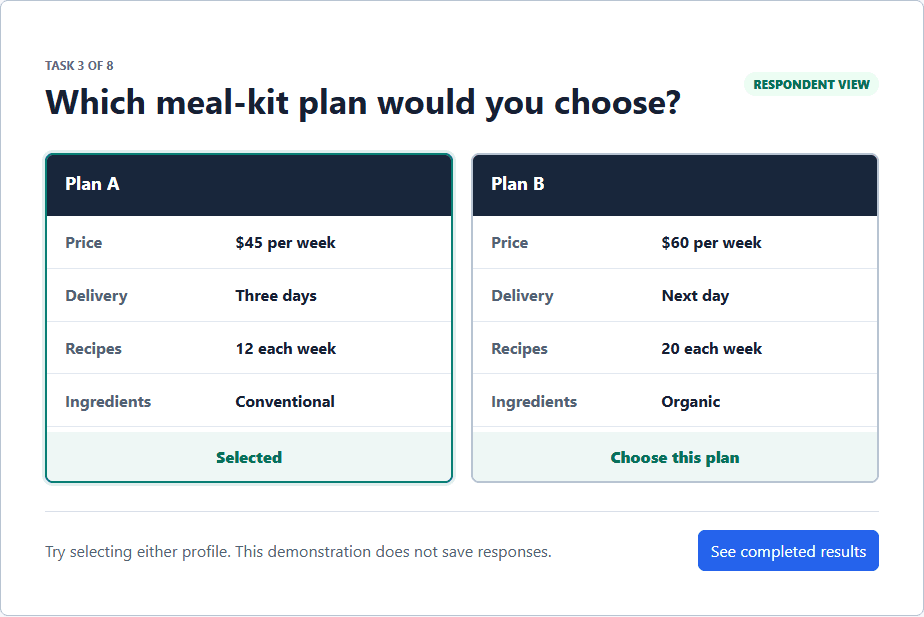
Send the draft to a small group resembling the target audience. Ask several people to narrate what they think each attribute means, then let the remaining testers complete the survey without coaching. Review profile combinations, timing, incomplete paths, open-text comments, and the exported data before interpreting any early preference estimate.
Decisions to Make Before You Begin
- Define the specific questions the pilot must answer.
- Include both desktop and mobile testers.
- Choose whether pilot responses will be excluded from the final analysis.
- Set revision rules before seeing attractive early results.
Common Mistakes to Avoid
- Treating a small pilot as confirmatory evidence.
- Recruiting only colleagues who already understand the terminology.
- Checking the survey screens without inspecting the resulting data structure and analysis.
Your Practical Next Step
Reserve a small part of the 2,000-response Free allowance for an instrument test. Revise the design, document what changed, and begin main fielding with a stable version.
A Quick Confidence Check
- Pilot before buying a full sample.
- Check mobile screens.
- Confirm URL parameters are captured.
- Archive the pilot separately from the main study.
Common Questions
Can I use this guide if I am new to this?
Yes. Researchers preparing for paid online fielding or a formal study launch. Follow the steps in order, start with a small test, and use the final checklist before you field or report anything important.
What is the simplest way to get started?
Begin by publish a draft survey link for a small pilot. Next, ask pilot respondents to complete the study on desktop and mobile. You do not need to perfect every setting before running a small preview or pilot.
How do I know when I am ready?
Use the confidence check above. In particular: Pilot before buying a full sample. Check mobile screens. Confirm URL parameters are captured. Archive the pilot separately from the main study. When the decision is consequential, keep your study documentation and ask a qualified colleague or methods reviewer to examine the design as well.
Related Guides
Research artifact: sample data, codebook, and scriptsResearch Pathways
Product names and fielding platforms mentioned in this guide belong to their respective owners. Conjoint Survey is an independent academic research tool and is not affiliated with, sponsored by, or endorsed by those services.